AI Sales Automation Platforms for Small Teams: A Comparison

The right platform for a small team is the one that covers your actual enquiry path, from first contact to booked meeting or sent quote, without a second tool or a new hire to hold it together. For established businesses missing calls and following up late, that usually means a connected system across voice, email, SMS and chat. For a team that only needs a better contact database or a CRM with automation, a narrower tool can be enough. Naya is built for the first case, and this comparison shows how to tell which case you are in.
Continue reading
Choose whether to allow analytics while you read. Privacy Policy
TL;DR
- Compare platforms on workflow fit first: which channels they handle, who qualifies, who books, who quotes and who takes over when a human is needed.
- Total cost is more than the headline price: seats, call minutes, credits, mailboxes, SMS and add-ons all change the bill.
- Naya’s published plans are Standard from £478 per month and Growth from £798 per month, with a Custom plan that has no published price.
- Judge any platform by qualified enquiries and booked meetings, not by activity volume, and pilot it on one segment before expanding.
- CRM-first tools suit teams that already have a sales process and people to run it. A sales operating system suits teams that have demand and not enough hands.
Table of Contents
- Who this comparison is for
- What kinds of platform are you actually choosing between?
- The selection criteria that decide the outcome
- How the options compare by workflow fit
- Which buyer fits which option?
- What does it really cost? Seats, minutes, credits and extras
- A worked example, clearly labelled as an example
- What does real usage look like?
- Your buying checklist
- How to pilot one platform without risking your pipeline
- Where Naya fits
- Perspective
- FAQ
- Sources
Who this comparison is for
This is written for owners and sales leaders at established businesses with a proven offer, a small team and capacity to serve more customers. It also covers marketing agencies running sales workflows for clients. You are probably in one of these positions:
- Calls and web enquiries arrive when nobody is free, and some are never returned.
- Leads go in the CRM and then wait days for a follow-up.
- You want outbound activity but cannot spare a person to prospect, call and chase.
- You manage several client accounts and need separation between them.
If you are an individual rep looking for a free tool, or a start-up still finding its offer, this is not the page for you. The tools below are priced and built for businesses that already know what they sell.
What kinds of platform are you actually choosing between?
“AI sales automation” covers four different product types, and most confusion in buying comes from comparing them as if they were one.
- Sales operating systems. One system that finds prospects, answers inbound calls, calls outbound, qualifies, books, follows up and logs everything. Naya sits here.
- CRMs with automation. HubSpot, Zoho, Pipedrive and similar. They hold the records and run workflows well, but the conversations and prospecting often come from add-ons or other tools.
- Agency platforms. HighLevel is the commonly cited example: client sub-accounts with contacts, pipelines, calendars and automations under one login. A 2026 agency guide lists its Starter plan at $97 a month for three sub-accounts and notes separate usage charges for phone, SMS, email and some AI features.
- Email-first sales engagement and AI SDR tools. Reply.io, Instantly, Apollo and 11x.ai are in this territory. They are strongest at outreach sequences and, depending on the product, autonomous prospecting. Voice and SMS are generally secondary or add-ons.
There are also voice-agent builders and call platforms such as Synthflow and Aircall. They do one channel well. Used alone they leave qualification, follow-up and record-keeping to you or to further integrations.
The selection criteria that decide the outcome
Use these eight criteria, in this order. The first three tell you whether a platform fits at all.
1. Channel coverage
List where your enquiries really come from: phone, web form, email, SMS, chat. Then list where you want to reach out. A platform that handles only email will not recover a missed call. Naya brings inbound call handling, outbound AI calling, cold email, email warm-up, SMS, chat and shareable agent links into one connected system, and teams can work from their existing email mailboxes.
2. Qualification
Ask who sets the criteria and how. The useful version lets you define your own questions, thresholds and what counts as qualified for your offer. With Naya you tailor conversations to your offer, customers and qualification criteria, and you manage your own AI agents, including voice cloning if you want agents to sound like your business.
3. Booking, quoting and follow-up
A qualified lead is worth little if booking is a separate step. Check whether the platform books the appointment itself, sends reminders and keeps chasing a no-reply. If you sell by quotation, check whether it captures requirements and prepares the quote. Naya supports order and quote workflows, so teams can capture requirements, prepare quotations and keep follow-up moving.
4. Integrations
Make a list of the systems the platform must write to: CRM, calendar, mailbox. Naya offers CRM integrations including HubSpot and Salesforce, keeping lead records, conversation history, bookings and next actions connected to the tools you already use. For anything not on a vendor’s integration list, assume it is not supported until the vendor confirms it in writing.
5. Setup effort
A tool that needs a consultant to configure it is not a small-team tool. Ask how long it takes to connect mailboxes, import leads, write agent scripts and map CRM fields. Our guide to setup effort for conversational sales AI walks through what to prepare before a first call.
6. Human handoff
Decide in advance what the AI never closes alone: pricing exceptions, complaints, large deals. Then check the platform lets a person take over a conversation with the full history in front of them, and that the next action lands in your CRM. Handoff is where small teams either gain capacity or create a mess.
7. Total cost and billing basis
Covered in detail below.
8. Limits
Every platform has limits on contacts, sends, minutes or seats. Ask for them before you sign, and ask what happens when you pass them.
How the options compare by workflow fit
The table describes what each type of platform is built around. It is a category comparison, not a ranking and not a test. For each vendor’s current features and prices, use its own pricing page, because plans change.
| Option type | Built around | Voice, SMS and email in one place | Booking and quoting | Best for | Watch for |
|---|---|---|---|---|---|
| Naya (sales operating system) | Prospecting, inbound and outbound calls, qualification, booking, follow-up, quotes | Yes: voice, SMS, email and chat, with agent links | Booking and order and quote workflows | Established small teams with demand to capture and not enough people | Needs a defined offer and qualification criteria to configure well |
| CRM with automation (HubSpot, Zoho, Pipedrive) | Records, pipelines, reporting | Usually email plus add-ons or integrations | Pipeline and meeting tools | Teams with a settled process and staff to run it | Conversational calling and prospecting may need extra tools |
| Agency platform (HighLevel) | Multi-client accounts and resale | Broad, with usage charges for phone, SMS and email | Calendars and funnels | Agencies delivering for many local clients | Usage charges grow with volume |
| Email-first engagement (Reply.io, Instantly, Apollo) | Outbound sequences, contact data | Email first; calls and SMS vary by plan or add-on | Limited | Teams whose main motion is outbound email | Seats, contact caps and mailbox add-ons |
| AI SDR agents (11x.ai and similar) | Autonomous outbound prospecting | Mostly outbound | Meeting booking | Teams comfortable with high automation | Supervision, sender reputation and cost per qualified meeting |
| Voice-agent or call tools (Synthflow, Aircall) | One channel: calls | Voice only | Depends on integration | Teams that need only call handling | Qualification and follow-up sit elsewhere |
Which buyer fits which option?
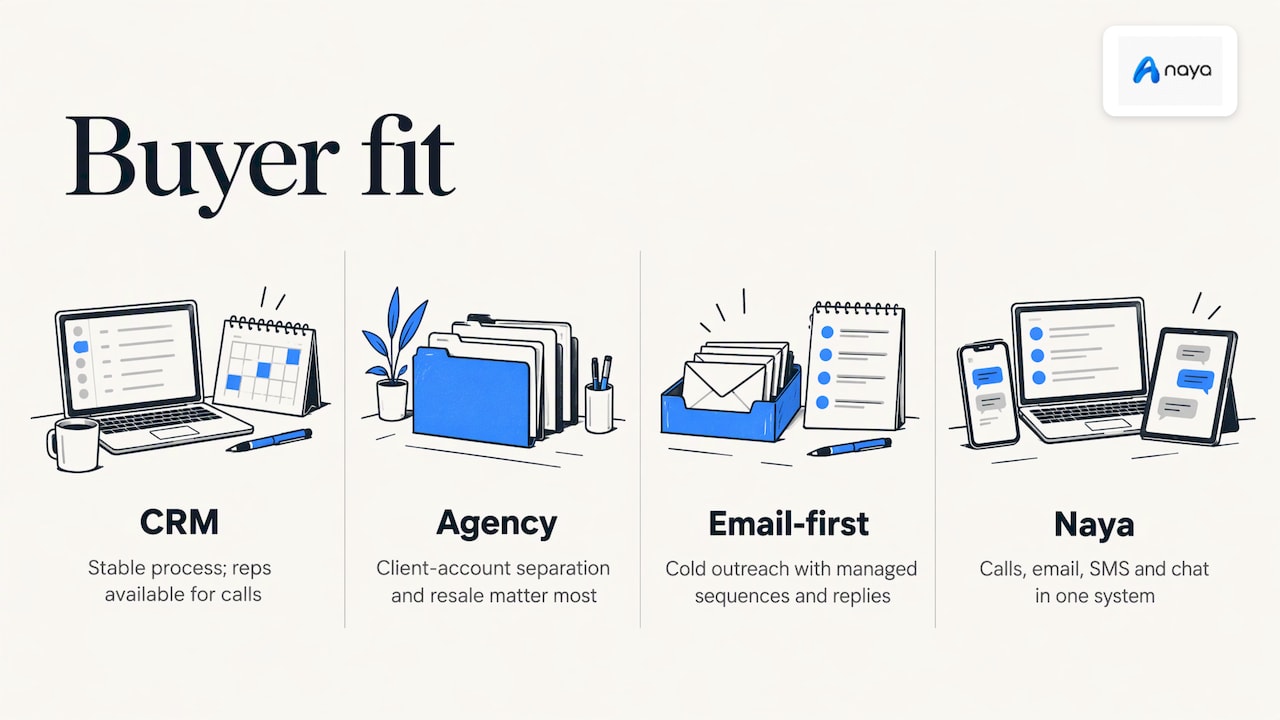
Choose a CRM with automation when your process is already stable, your reps are available to make the calls, and the missing piece is organisation and reporting. If marketing and sales need shared reporting, a CRM is the sensible centre.
Choose an agency platform when separation between client accounts and resale matter most. The Marketer’s agency guide makes the same point: match the system to the agency’s business model, and test a representative workflow rather than trusting a feature list.
Choose an email-first engagement tool when your growth comes from cold outreach and the team has someone to manage sequences, replies and deliverability.
Choose Naya when enquiries are going unanswered, follow-up is slow or inconsistent, and you want calls, email, SMS and chat handled in one system with qualification, booking and quoting attached. That is the situation of the established, small-team business the platform is built for. Agencies that run sales workflows for clients can use it to run the same repeatable framework for them.
Naya is not the right fit if you have no settled offer, no capacity to serve extra customers, or you need only a single point tool such as a contact database.
What does it really cost? Seats, minutes, credits and extras
Headline prices compare badly because vendors bill on different bases. Before you shortlist, put each one into the same worksheet.
| Cost line | Question to ask |
|---|---|
| Platform fee | Is it per seat, per tier or flat? What does the entry tier exclude? |
| Seats | Do managers, agency staff and part-timers each need a paid seat? |
| Call minutes | Are AI call minutes included, or billed on top? |
| Messaging | Are SMS and email sends metered? |
| Credits | Do enrichment, lead lookups or AI actions use credits? |
| Mailboxes and warm-up | Are extra sending mailboxes charged separately? |
| Integrations | Does the CRM connection need a higher plan? |
| Setup and training | Is onboarding included or charged? |
On Naya, the published plans are Standard from £478 per month and Growth from £798 per month, as read from the Naya site. The Custom plan has no published price, so ask for a quote against your volumes. The “from” matters: confirm with us what your channel mix and volumes include, rather than assuming a plan covers everything.
Then convert every quote to a single comparable number: cost per qualified enquiry or booked meeting. Global Tech Stack’s October 2026 guidance argues for judging AI SDRs on qualified meetings and pipeline rather than monthly price or reply volume, and that is the right habit for any platform in this table.
A worked example, clearly labelled as an example
This is an illustration, not a result from a client. A six-person installation firm gets about 60 enquiries a month. Many arrive by phone while engineers are on site. They want every enquiry answered, qualified against job type and postcode, booked for a survey or sent a quote request, and followed up if there is no reply.
- A CRM alone records the enquiry and may send an automatic email, but the missed call still waits for a person.
- An email-first tool helps with outreach but does nothing for the inbound call.
- A connected system answers the call, asks the qualification questions, books the survey, texts a reminder and logs it all in the CRM, then hands the larger jobs to the owner with the conversation attached.
The point of the example is the shape of the workflow. Draw yours on one page before you look at any vendor.
What does real usage look like?
We can show one owner-approved snapshot from Haborn, dated 24 November 2026. Read it as a record of activity in one account, not as a benchmark or a promise.
- Agent-link qualification and quote-request capture: 35.5% of leads, 11 of 31.
- Calling follow-up: 20% qualified among resolved contacts.
- Warm calling: 1,679 attempts logged, including retries and 16 cancellations. 107 were app-defined real conversations, meaning the contact spoke twice. 3 meetings were booked, and none had yet been attended.
Keep the two rates separate. The cohorts overlap, so they cannot be added together, and they are not incremental conversions, quotes sent or sales. Neil Marsh at Haborn, reacting on 10 November to the earlier dial volume, said: “Mental. I would never even get anywhere near that.” He reported four callback conversations that morning.
What the snapshot shows is the division of labour: the system works through the volume of attempts, and people pick up the conversations that matter.
Your buying checklist
Take this to every demo.
- Which channels does it handle natively, and which need another product?
- Can I define my own qualification questions and thresholds?
- Does it book appointments and send reminders without a person?
- Can it capture requirements and prepare a quote?
- Does it connect to my CRM, mailbox and calendar, and is that named in writing?
- How long until a first live agent, and who does the setup?
- What does a person see when they take over a conversation?
- What are the limits on seats, contacts, minutes and sends?
- What is the full monthly cost at my volume, including add-ons?
- Which measures will I review weekly: qualified enquiries, booked meetings, recovered quotes, time to first response?
How to pilot one platform without risking your pipeline
Pick one segment, such as missed calls from the last quarter or a dormant list of past customers. Connect your CRM, set approval points for anything involving price or commitments, and review results weekly. Global Tech Stack recommends exactly this kind of small segment pilot with weekly review. For practical rollout and risk controls when you test AI in a small business, this guide on testing AI automation before scaling is a good companion.
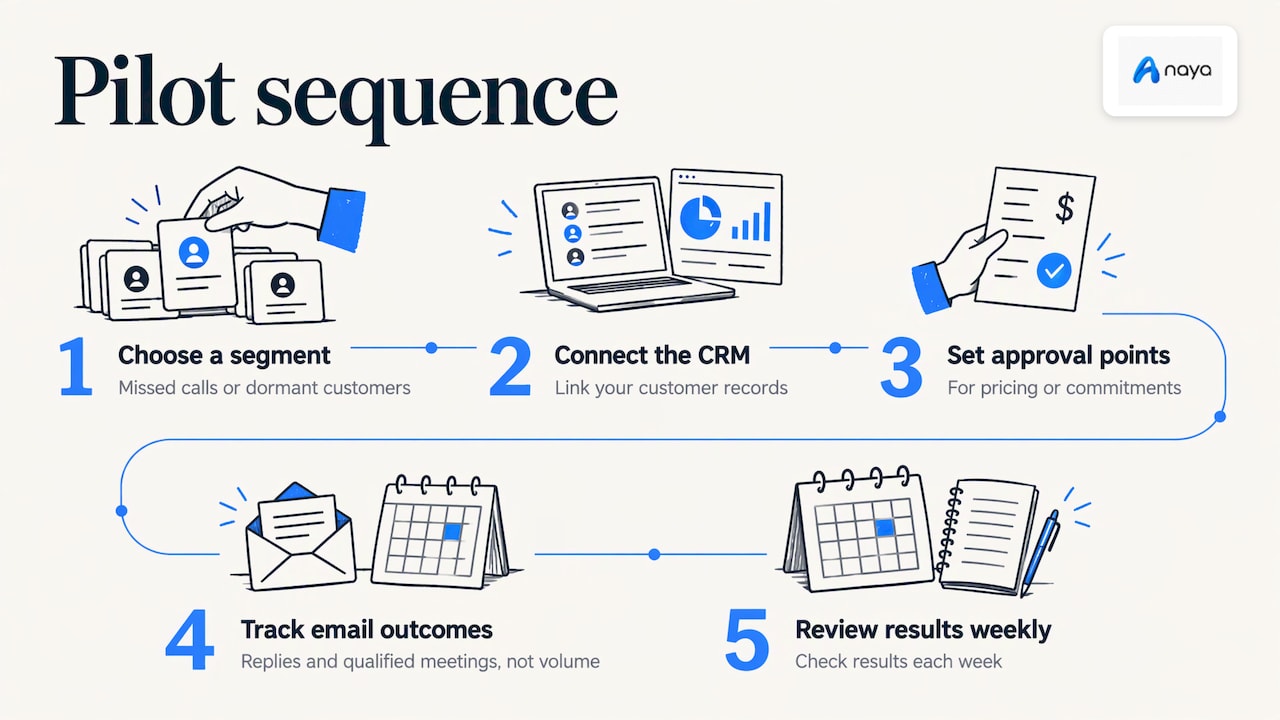
On outbound email, track replies and qualified meetings, not send volume. Sender reputation is slow to build and quick to lose, so keep volumes modest while mailboxes warm up.
If you want to start with the prospecting side, see Naya’s AI sales prospecting and lead enrichment. Our guides on automating sales processes in a small team and AI lead response software cover the neighbouring decisions.
Where Naya fits
Naya is a complete AI-powered sales operating system for established businesses with small teams. It joins lead prospecting and enrichment, inbound call handling, outbound AI calling, qualification, appointment booking and follow-up, with cold email, warm-up, SMS, chat and agent links alongside. You manage your own agents, clone voices if you wish, and keep records in your CRM.
Standard starts from £478 per month and Growth from £798 per month. Custom is quoted individually. The Naya site has the plans and a way to book a strategy call, where we map your enquiry path and show how it would run.

Perspective
Small teams rarely lack leads. They lack the hours to answer every call, chase every quote and keep every conversation moving. Buying a tool for each of those jobs creates a new job: stitching the tools together.
That is why we built Naya as one system around the sales process rather than around a single channel. Prospecting, calls, email, SMS, chat, qualification, booking and quoting share one record, so a person who steps in sees what has already been said.
Our advice is to be strict about outcomes. Count qualified enquiries, booked meetings, recovered quotes and the capacity your team gains, and compare platforms on those. Start with one segment, set your handoff rules, and widen only when the numbers hold.
Ken
FAQ
How do I compare AI sales automation platforms fairly?
Start from your own workflow, not a feature list: channels, qualification, booking, quoting, integrations, setup, handoff and limits. Put every quote into the same cost worksheet and convert it to cost per qualified meeting. Then test one representative workflow in each shortlisted platform.
Do I need a CRM as well as an AI sales platform?
Yes, for most established businesses the CRM remains the record of customers. The platform should write lead records, conversation history, bookings and next actions into it. Naya integrates with CRMs including HubSpot and Salesforce.
What is the total cost of ownership?
Add the platform fee to seats, call minutes, messaging, credits, extra mailboxes and any setup charges. Naya’s published plans are Standard from £478 per month and Growth from £798 per month, and Custom has no published price, so ask for a quote against your volumes.
Will the AI replace my sales team?
The aim is more sales capacity without a matching rise in headcount. Routine enquiry handling, qualification, booking and follow-up can run around the clock, while your people take the conversations that need judgement, relationships and closing.
Sources
- Best CRMs for Marketing Agencies (2026), The Marketer
- Best AI SDR Agents 2026, Global Tech Stack
- AI automation: test before you scale, hostme.ie
Recommended
See naya answer, qualify, and book. Live.
Put an AI sales agent on your front line and never miss another lead.
Book a live demo →